Announcements
Write one notice in your own language and every visitor reads it in theirs — how to write, preview and remove an announcement, and what it costs.
Written By Dennis Dueck
Last updated About 1 month ago
Where can I find the Announcements page?
Go to https://admin.churchtranslation.org/announcements, or click Announcements in the sidebar.
What it does
You write one notice, in your own language. Everyone who opens the app reads it in theirs.
Upcoming events, a prayer request, where the car park is this week, who to speak to about the youth group — anything you would put on a printed sheet. Visitors find it under Announcements in the app's menu, and it stays there until you change or remove it.
There is only ever one announcement. It is a noticeboard, not a feed: writing a new one replaces what was there.
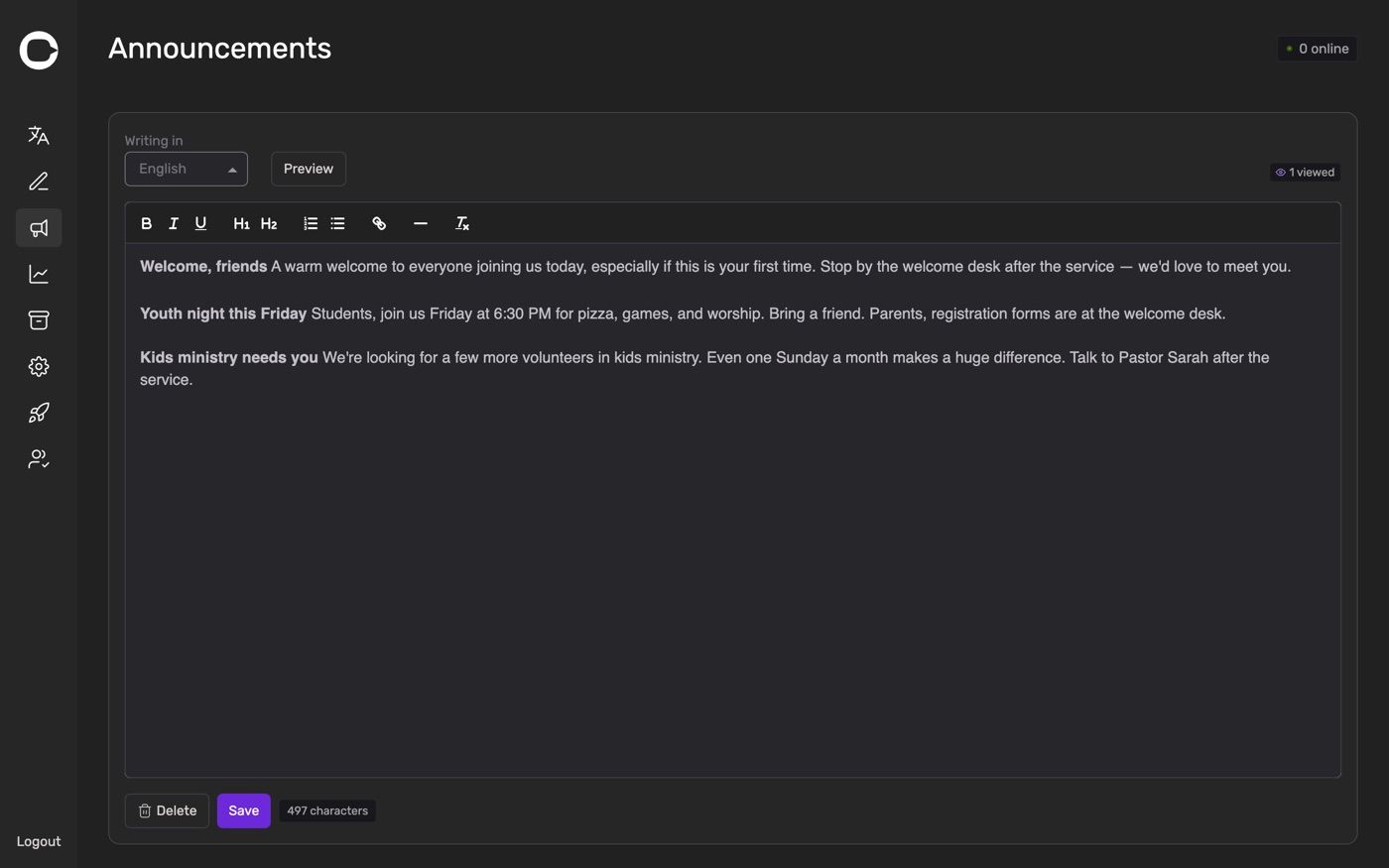
Writing your first announcement
Go to the Announcements page.
Choose your language under Writing in. This is the language you are typing in.
Type your notice in the box.
Click Save.
That is all. Translation into every language your church has active happens automatically, and takes a few seconds.
You have the usual formatting to hand: bold, italic, underline, two heading sizes, numbered and bulleted lists, links, and a horizontal divider for separating one notice from the next.
If you click Save and see Please pick a language and enter some content, either the box is empty or no language is chosen.
Checking it before your congregation sees it
Click Preview. The page shows your announcement inside a phone frame, exactly as a visitor sees it.
While in preview, the language selector changes to Viewing in — and now you can switch it. Pick any language your church has active and read the translated version. It is worth doing once, particularly for a language a member of staff can check.
Click Back to edit to carry on writing.
If you have unsaved changes and try to preview another language, you will be asked to save first. Translations are generated from the saved version, so there is nothing to show until you save.
The source language is fixed after the first save
Once you save, the Writing in language locks. Hovering over it explains why:
Source language is locked. Delete the announcement to change it.
This is deliberate. Every translation is produced from the source, so changing the source mid-life would leave your other languages disagreeing with each other.
If you chose the wrong language, delete the announcement and write it again. It only takes a moment.
Seeing whether anyone read it
Next to the language selector you will see a small count:
12 viewed
That is how many people have opened the announcement since you last saved it. Saving a change resets it to zero, so the number always refers to the version currently showing.
It is a useful reality check. If you write a notice every week and the count stays at three, the announcement is not where your congregation is looking, and a word from the front will do more.
What it costs
Nothing. Announcements are translated into every language your church has active, but there is no charge for it and it does not count against your free allowance. Only the live translation of a service is metered.
So write it, save it, read it through in Preview, and correct anything you spot. There is no reason to leave a mistake up all week.
Removing an announcement
Click Delete, then confirm — This will permanently delete the announcement.
That removes it in every language at once, and visitors see No announcements yet until you write a new one. Deleting also unlocks the Writing in language for next time.
There is no way to bring a deleted announcement back, so keep a copy elsewhere if it took you a while to word.
Practical suggestions
Keep it short. People are reading on a phone, often standing up.
Put the most important thing first. Not everyone scrolls.
Use the divider between separate notices rather than running them together.
Write plainly. Everything here is machine-translated, and plain sentences translate far better than jokes, idioms or wordplay. "Bring a plate to share" travels; "bring a plate" alone does not.
Spell out dates and times. Sunday 14 September, 7pm rather than next Sunday evening.
Refresh it weekly. A month-old notice teaches people to stop looking.
Was this helpful?
Still need help? Ask the team